A post-quantum
wallet.
AI is accelerating the discovery of cryptographic weaknesses. Nothing widely deployed is broken today, but the time to prepare may be now.
Qrypto comes with quantum-proofing out of the box.

Every Qrypto operation is one hash approved twice: once with a regular ECDSA key, once with a post-quantum SPHINCS-C13 key. The smart account executes only after both signatures verify onchain; either failing rejects the operation.
About 307k UserOperation gas in this measured Sepolia run (307,288 used, 399,605 pre-estimated, 300,559 in the outer transaction). Fees vary by network and conditions.
C13 is an experimental SPHINCS-derived construction, not NIST's standardized SLH-DSA, and Qrypto is unaffiliated with the SPHINCS+ team. Inspect the rule yourself: the proof on Sepolia and the Mainnet beta canary.
Two keys, both required, one transaction.
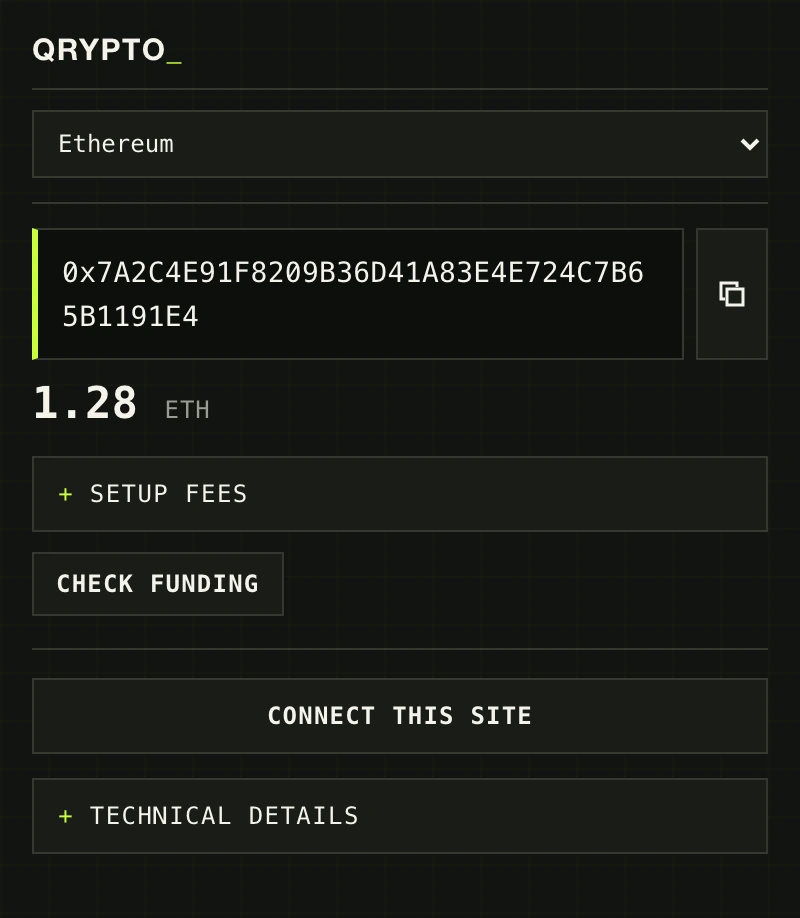
Once setup is complete, Qrypto works like a compact Ethereum wallet. Pick a network, see the balance, connect to a site, and approve from one place.
Install the preview.
Download it, load it, and open Qrypto. Everything needed to create and use the wallet is inside the extension.
-
Download and extract
Extract the ZIP to a folder you keep: your browser loads Qrypto from it, and
INSTALL.mdinside covers the details. -
Load unpacked
On your browser's extensions page, enable Developer mode, click Load unpacked, and choose that folder.
-
Open Qrypto
Open Qrypto from the toolbar and choose Create wallet. It creates both independent keys and signs inside the extension.
Reading ./release.json…
Browser addresses & the Firefox note
Browser settings pages cannot be opened by a website; copy the address for your browser and paste it into the address bar. This Chromium ZIP is not a Firefox XPI. Firefox self-distribution requires a separately compatible, Mozilla-signed XPI.
- Chrome
chrome://extensions - Brave
brave://extensions - Edge
edge://extensions
Chrome: load an unpacked extension Brave: Chromium extensions Edge: sideload an extension
Release manifest, checksum & updates
- Status
- checking…
Read from ./release.json. Verify the ZIP yourself:
shasum -a 256 qrypto-quantum-wallet.zip must match the checksum above.
From v0.1.2, Qrypto shows a New update banner when a newer publisher-signed ZIP is published, and verifies its signed size and SHA-256 before saving. Extract it over the same folder and click Reload on your extensions page; unpacked extensions never install code silently.
Research preview. Qrypto is unaudited; on Ethereum, start with a small amount you can afford to lose. Keep both recovery files private and separate.